Apple has officially unveiled iPadOS 27 during WWDC 2026, introducing a major update centered around Apple Intelligence, deeper Siri integration and a broader push toward AI-powered productivity on the iPad. The new version of iPadOS will launch this fall and also brings expanded child safety tools, system-wide optimizations and several upgrades for creative workflows.
Siri AI becomes more contextual and app-aware
At the core of iPadOS 27 sits a rebuilt Siri AI powered by Apple Intelligence. Apple says the assistant is now capable of handling more advanced multi-step conversations while understanding personal context across apps and system content.
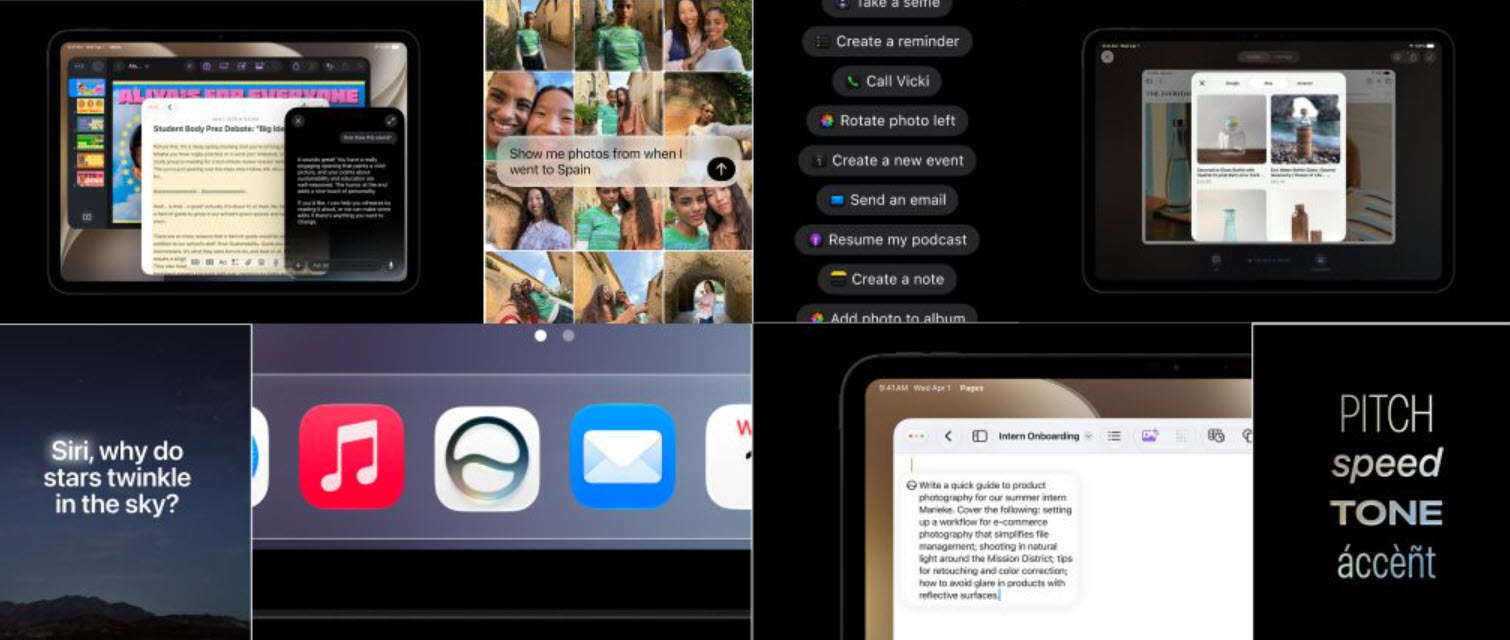
Users can search for files, emails, notes or photos using natural language instead of exact keywords. Siri can also perform actions directly inside apps such as Messages, Music and Reminders. Apple showcased examples including editing recently sent messages or adding songs from background videos directly into playlists.
A dedicated Siri app now debuts on iPadOS, acting as a centralized hub for conversation history. Queries sync across Apple devices, allowing users to continue requests started on an iPhone directly on an iPad. Important conversations can also be pinned for faster access.
Visual Intelligence is another major addition. Users can circle or tap objects inside screenshots using a finger or Apple Pencil, prompting Siri to analyze or explain the selected element.
Apple is also expanding Siri’s writing capabilities. The assistant can generate drafts, rewrite text and adapt tone or punctuation inside apps like Mail and Messages to better match the user’s writing style.
Initially, Siri AI will launch later this year in English only.
Apple Intelligence expands across native apps
Beyond Siri, Apple Intelligence now powers a wider range of productivity and creative tools throughout iPadOS 27.
Photos and image editing
The Photos app receives several AI-assisted editing features, including:
- Spatial Reframing for adjusting image composition after capture
- Extend for generative image expansion
- an upgraded Clean Up tool capable of removing larger background objects
Users can also create custom slideshows with transitions, music and adjustable timing, exportable as standard video files.
Productivity upgrades
Apple is heavily targeting productivity workflows with iPadOS 27. In Notes, Siri AI can analyze handwritten or typed content, generate agendas, extract tasks or even convert lecture notes into study guides.
Safari now introduces automatic tab grouping based on browsing topics, alongside a new “Notify Me” feature that monitors web pages for price drops or restocked products.
The Passwords app gains automatic weak password detection and can update compromised credentials with a single tap.
Image Playground expands Apple’s AI image generation tools with support for photorealistic outputs and prompt-based image transformations.
Meanwhile, Shortcuts receives natural language automation. Users can describe workflows in plain English, such as automatically enabling Windowed Apps mode when connecting a keyboard.
New parental controls and child safety tools
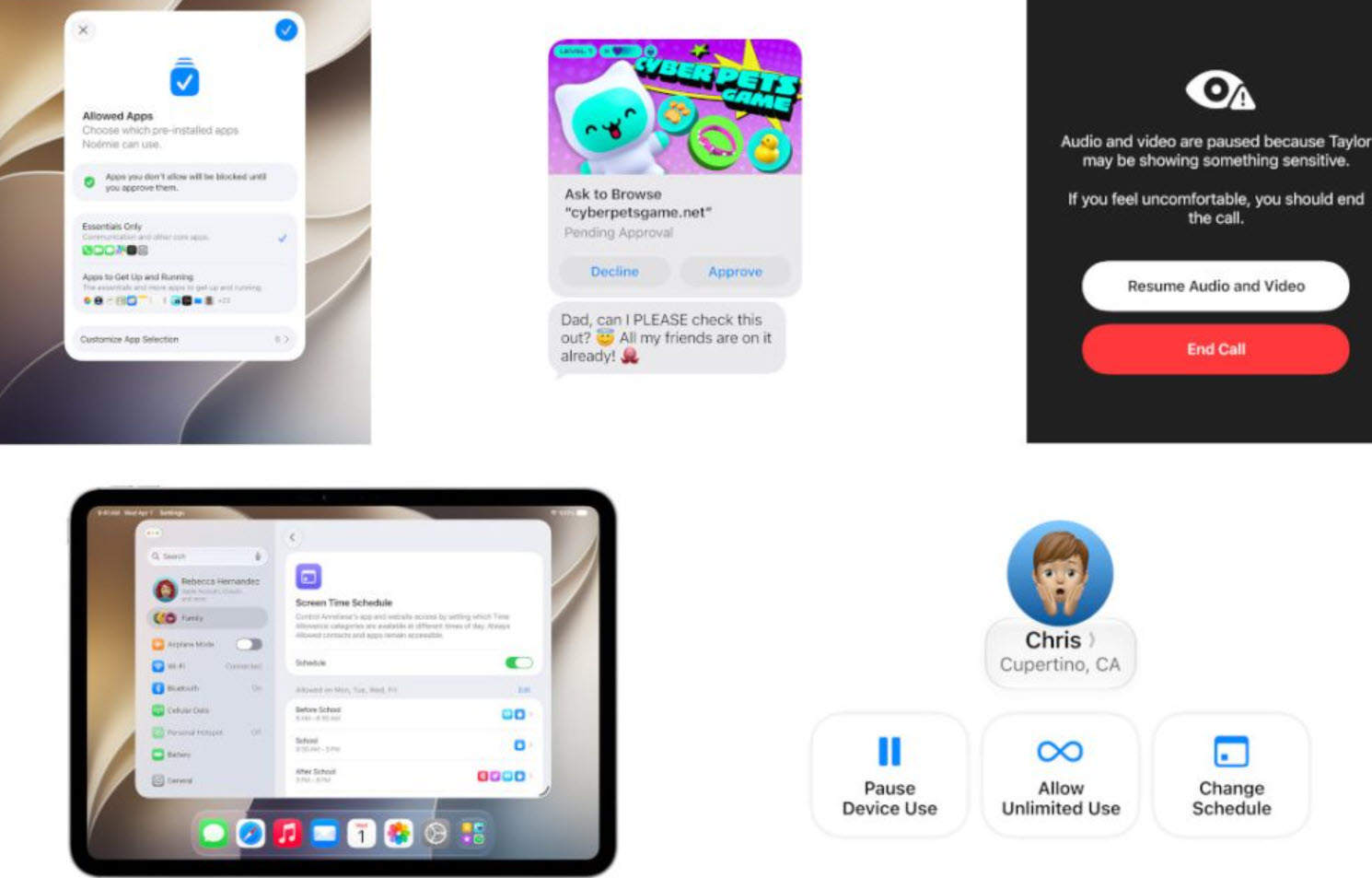
Apple is also redesigning parental controls in iPadOS 27 with more granular safety settings. Parents can now choose between essential, recommended or fully customized app access during device setup for children. Additional apps can later be approved through Ask to Buy. A new “Ask to Browse” feature requires children to request permission before accessing unfamiliar websites. Parents receive approval requests directly in Messages.
Communication Safety has also been expanded. Beyond nudity detection, the system can now identify violent or graphic media before it is displayed in Messages, FaceTime or supported communication apps.
Apple is additionally introducing age-guided screen time recommendations developed alongside child development specialists. Parents can create detailed schedules limiting specific app categories depending on time of day or weekdays.
Liquid Glass visuals and faster performance
iPadOS 27 also introduces visual refinements under Apple’s new “Liquid Glass” design language. Apple says menus, icons and interface elements now feature improved refraction, sharper contrast and customizable transparency levels. Users can adjust the appearance from nearly transparent to heavily tinted.
Performance optimizations are also part of the update:
- file transfers to external drives are up to 5x faster
- AirDrop transfers are faster
- app launch speeds are improved
- network switching between Wi-Fi and cellular is smoother
Messages syncing has also been improved, reducing delays for unread counts and notifications after reconnecting devices.
Additional features
Apple also announced several smaller additions throughout the operating system:
- Home app summaries powered by Apple Intelligence
- 4K HomeKit Secure Video support
- improved VoiceOver image descriptions
- live caption generation and translation
- AI-assisted Calendar event creation
- upgraded Maps Flyover environments
- custom AirPods EQ controls
- improved iCloud Shared Albums support for Android and Windows users
Availability and supported devices
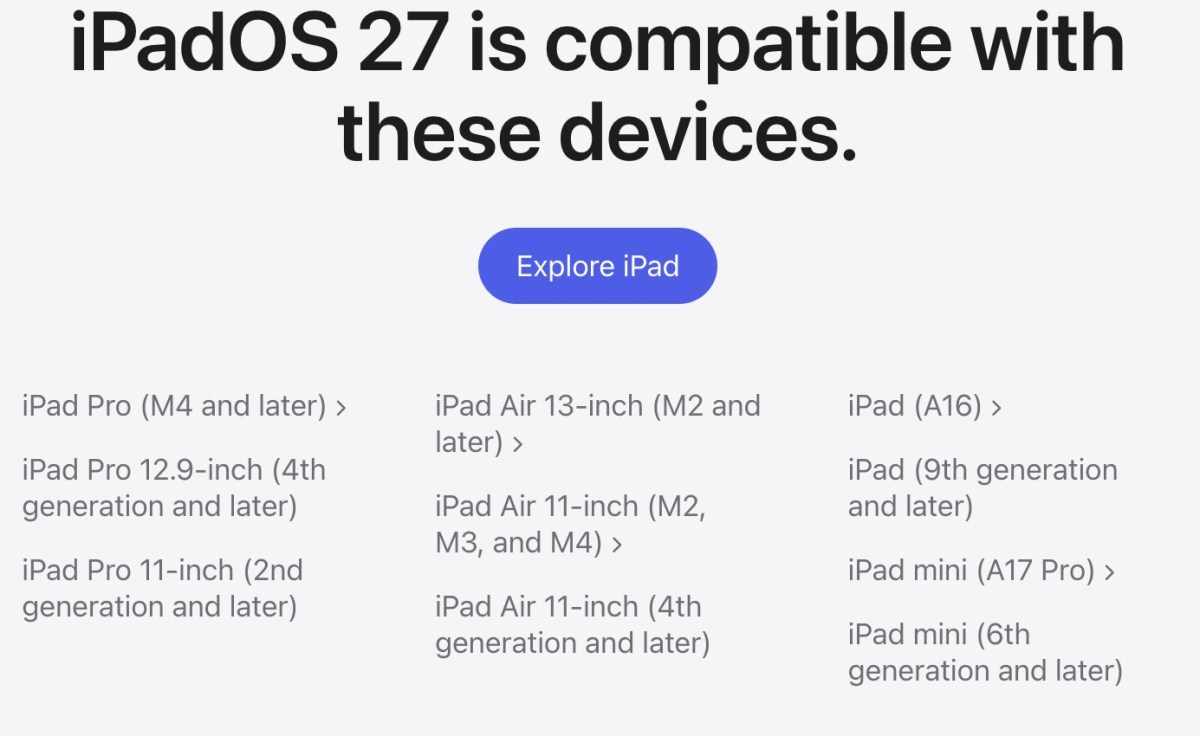
The iPadOS 27 developer beta is available now through the Apple Developer Program, while the public beta launches next month. The final release will arrive this fall as a free update for supported iPad models, including newer iPad Pro, iPad Air, iPad mini and standard iPad devices.
Apple confirmed that Siri AI features will require an Apple Intelligence-compatible device and supported language settings. At launch, Siri AI will not initially be available in the EU on iOS and iPadOS.
Post Footer automatically generated by Add Post Footer Plugin for wordpress.